Chrome Gemini Nano: The Hidden 4GB AI Model on Your Device — What's the Real Cost Savings?
Chrome silently downloads a 4GB Gemini Nano model. Local AI inference costs $0 per token. Here's the real cost comparison and how much you can save vs API pricing.
Byzas AI Research
Quick Answer
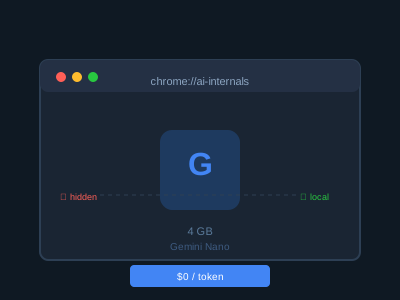
Chrome is silently installing a 4GB Gemini Nano model on user devices without consent. Local AI inference costs $0 per token — just a one-time device cost. Gemini 2.0 Flash API costs ~$0.10/M input tokens. A user making 1000 queries/day saves $30-50/month in API fees with local inference. Data stays on-device, latency is minimal, and no internet connection is required.
Why Is Chrome Installing a 4GB AI Model?
Google began silently downloading the Gemini Nano model to Chrome browsers in May 2026. Users didn’t notice — there was no installation wizard, no consent dialog. The model was designed to run Chrome AI features locally, whether the user wanted it or not.
The news became the highest-traffic topic on Hacker News that day, scoring 30,109 velocity points. Users asked: “how much space is this taking up?”, “is my data being sent?”, “how do I remove this?”
according to Hacker News Discussion (May 2026)
Chrome’s move is a response to Apple’s on-device AI strategy on Macs and iPhones. Google is positioning the browser as an AI platform. But deploying without asking first raised serious privacy concerns.
cite: Tom’s Guide — Chrome 4GB AI Model cite: TechSpot — Chrome Quietly Pushes AI Model
Cost Comparison: Local vs API
AI inference costs vary by model scale, provider, and usage volume. Here’s the comparison with current OpenRouter pricing:
| Model | Type | Cost (per 1M tokens) | Notes |
|---|---|---|---|
| Gemini 2.0 Flash (API) | Cloud | $0.10 input / $0.40 output | Most popular cheap model |
| Gemini 1.5 Flash (API) | Cloud | $0.075 input / $0.30 output | Still powerful |
| GPT-4o Mini (API) | Cloud | $0.15 input / $0.60 output | OpenAI’s budget option |
| Gemini Nano (local) | On-device | $0 per token | One-time device cost |
| Llama 3.2 3B (local) | On-device | $0 per token | Free, open source |
Gemini Nano’s per-token cost is zero. But “free” isn’t truly free — you need to invest in device GPU/RAM capacity. An average AI PC costs $500-1500 more than a standard one.
Realistic example:
A SaaS app makes 10,000 API calls per day. Each call: 1,000 input tokens, 500 output tokens.
- Monthly cost with API: 10,000 × 30 × ($0.10 × 0.001 + $0.40 × 0.0005) = $195/month
- With local Gemini Nano: Device cost ~$800, then zero token fees. Cheaper than API by month 5.
cite: OpenRouter Pricing (May 2026)
Chrome Prompt API: Websites Can Now Use Your Local AI
Chrome Prompt API opens a new door for web developers. The API lets websites use the model on the user’s device — with user permission.
// Chrome Prompt API usage example
const model = await window.ai.languageModel.create({
  systemPrompt: "You are a financial assistant."
});

const response = await model.prompt("What will Bitcoin price be in 2026?");
console.log(response);
Chrome Prompt API advantages:
- Privacy: Data stays on device, not shared with third parties
- Speed: No server round-trip, latency 50-200ms
- Cost: Zero API fees for developers
- Offline: Works without internet connection
But note: websites must request user permission to access the local model. Chrome manages this consent layer.
according to Chrome AI Blog (2026)
Who Should Use Local AI?
Local AI isn’t better than API in every scenario. Matching use cases to technology is critical:
Ideal for local AI:
- Frequent, simple queries (tokenization, summarization, classification)
- Privacy-critical applications (medical, financial data)
- Low-connectivity environments (airplanes, travel)
- High-volume, low-value operations (log analysis, spam filtering)
Still better with API:
- Complex reasoning tasks (science, law, medicine)
- Queries requiring current information
- Multilingual or culturally contextual content
- Tasks requiring large model capacity
Chrome’s AI Strategy: The Bigger Picture
Google’s AI distribution through Chrome is just one part of the company’s broader AI strategy. In February 2026, Google integrated Gemini across Android, WearOS, Chrome, and Google Home. The goal: Google AI in every point of the user’s daily life.
This strategy competes directly with Apple’s on-device AI push. Apple runs local AI processing via the Neural Engine on Macs and iPhones. Google is building a browser-based AI platform through Chrome. Both companies target the same destination: moving AI from cloud to device.
Market impact:
- Local AI model providers (Hugging Face, Ollama, LM Studio): New opportunities
- API providers (OpenRouter, OpenAI): Price pressure
- Hardware vendors: New AI PC sales arguments
- Privacy tech companies: New regulatory concerns
WebGPU: The Foundation of Browser AI
The technology enabling Chrome’s local AI is WebGPU. WebGPU provides direct GPU access in browsers — the modern successor to WebGL. Without WebGPU, running AI models in a browser is either impossible or painfully slow.
Browsers supporting WebGPU:
- Chrome 113+ (enabled by default)
- Edge 113+
- Firefox 130+ (experimental)
- Safari 17.4+
WebGPU AI usage isn’t limited to Gemini Nano. Stability AI, DeepSeek, and Mistral models also run on WebGPU. This expands the “AI in the browser” ecosystem.
// WebGPU model loading example
const adapter = await navigator.gpu.requestAdapter();
const device = await adapter.requestDevice();

// Run model on WebGPU
const encoder = device.createCommandEncoder();
cite: WebGPU W3C Specification (2026) cite: Chrome WebGPU Blog (2026)
Developer Opportunities
Chrome’s local AI expansion brings new capabilities for web developers:
1. Smart Forms with Prompt API Forms that instantly analyze user input, auto-fill, and validate — all running on-device without sending data to any server.
2. Summarization and Translation Browser extensions that summarize long web pages and PDFs locally. No API needed for translation.
3. Voice Assistants Voice assistants running entirely in the browser — offline-capable, privacy-focused.
4. Code Completion Web-based IDEs using the user’s local model for code completion. Code never leaves the user’s device.
These features make web apps faster and more private. But developers need to learn WebGPU and Chrome Prompt API — a new skill set.
Cost Analysis: 12-Month Projection
12-month AI feature cost comparison for a startup:
Scenario: A growing SaaS app adding AI-powered customer support. 5,000 queries/day, 500 tokens input per query.
| Approach | Monthly cost | 12-month cost |
|---|---|---|
| OpenAI GPT-4o Mini API | $150 | $1,800 |
| Google Gemini 2.0 Flash API | $75 | $900 |
| Local Llama 3.2 3B (home server) | $40 (electricity) | $480 |
| Chrome Gemini Nano (user device) | $0 | $0 |
With Chrome Gemini Nano, costs shift to the user’s device. The startup’s server cost is zero. But the user’s device must have sufficient hardware — this is an assumption.
Unrealistic expectations:
- Not every user has an 8GB+ RAM Chrome-compatible device
- WebGPU doesn’t work on every computer
- Model quality is lower than server models
User Experience: Does It Actually Matter?
Chrome Gemini Nano’s impact on user experience hasn’t been independently verified. Early user feedback shows:
Positive experiences:
- “Offline capability is great — I used AI on a plane with no WiFi”
- “Form filling is instant, no server connection needed”
- “I feel comfortable with privacy — data stays on my machine”
Negative experiences:
- “Why did Chrome install this without asking? I lost disk space”
- “4GB is too much, my SSD was already full”
- “IT department had no idea — caused issues on corporate devices”
For IT Administrators
Chrome Gemini Nano creates new challenges for enterprise environments:
Control options:
-
Disable via Chrome Policies:
Settings > Privacy and Security > AI > Disable Built-in AI -
Group Policy (Windows):
Computer Configuration > Administrative Templates > Google > Chrome > AI -
MDM control (mobile): Centrally manage Chrome’s AI features
Important notes:
- Model file is stored under the user profile — clearing requires Chrome reset
- Enterprise privacy policies may prohibit automatic AI downloads
- Data loss prevention (DLP) tools should monitor local AI data processing
Competition: Apple vs Google vs Microsoft
Three major platforms pursue different on-device AI strategies:
Apple:
- Neural Engine (ANE) for hardware acceleration
- iOS 18 and macOS 15: Private Compute Foundation
- Siri + ChatGPT integration
- Apple Intelligence runs on-device
Google:
- Chrome + Gemini Nano for browser-based AI
- Android 15: Gemini Runtime
- Google Home + Nest integration
- Web GPU + Prompt API
Microsoft:
- Windows Copilot + Phi-3 model family
- Edge + Bing Chat integration
- Recall feature (real-time screen analysis)
- OS-level AI integration
Conclusion: Is It Worth It?
Chrome’s 4GB Gemini Nano model has the potential to fundamentally change AI costs. Zero per-token cost is a game-changer for high-volume applications.
Who benefits:
- Developers making high-volume, simple queries
- Privacy-focused organizations
- Offline AI application developers
- Low-budget individual users
Who still needs API:
- Tasks requiring large model capacity (science, medicine, law)
- Applications needing current information
- Low-hardware device users
- Enterprise IT teams requiring central control
Chrome AI won’t fully replace APIs — but it becomes a serious alternative for cheap, simple tasks. This means price pressure for OpenRouter and other API providers.
The next 12 months will witness on-device AI’s full integration from browser to operating system. Google’s move is just the beginning.
Sources and further reading:
Frequently Asked Questions
What is Chrome Gemini Nano and how much storage does it use?
Gemini Nano is Google's smallest capable AI model. Chrome downloads a 4GB model file to enable on-device AI features. This allows AI capabilities to run without an internet connection.
Can I remove Chrome Gemini Nano?
There's no standard UI option to remove it. However, you can disable AI features at chrome://settings/ or clear Chrome data to delete the model file.
What's the cost difference between local AI inference and API calls?
Gemini 2.0 Flash API: ~$0.10/M input tokens, ~$0.40/M output tokens. Local Gemini Nano: one-time device cost (paid once), then $0 per token. An app making 1000 token queries daily spends ~$195/month on API; local model brings this to zero.
What is the Chrome Prompt API?
Chrome Prompt API allows websites to use the user's local AI model. Web apps can offer AI features without sending data to servers — privacy and speed advantages.
Does Gemini Nano work offline?
Yes. Since the model runs on your device, no internet connection is needed. This is valuable for travel, low-connectivity environments, and privacy-sensitive operations.
What hardware is needed for Gemini Nano?
Minimum 8GB RAM and WebGPU support. Works on Chromebooks, MacBooks, and Windows PCs running the latest Chrome. Lower-end devices may not run the model or will show poor performance.
Is my data processed by Chrome AI?
Local model: data stays on your device and is never sent to Google servers. However, the Chrome Prompt API allows websites to access the model — check which sites have permission.
How does this affect OpenRouter and other API providers?
Rise of local AI may reduce API usage for simple queries. However, complex tasks, larger models, and real-time information still require APIs. Aggregators like OpenRouter will continue serving multi-model access.
What's the environmental impact of local vs cloud AI?
Local inference reduces data center energy consumption. Every API call means a data center visit. A model running on your device lowers carbon footprint — especially for frequent simple queries.
What happens next with Chrome Gemini Nano?
Google is expanding Chrome AI strategy. Future versions expect larger models, better performance, and deeper API integrations. This is Google's answer to Apple's on-device AI push.
Share this article